
![[Translate to CS:]](/fileadmin/_processed_/7/5/csm_EasyCut_Freisteller_468x468px_14_c46259e600.png "[Translate to CS:]")
![[Translate to CS:]](/fileadmin/_processed_/9/f/csm_ActiveMow_KRONE_Freisteller_468x468px_90896875ef.png)
![[Translate to CS:]](/fileadmin/_processed_/7/5/csm_EasyCut_R_468x468px_57ba0a365d.png "[Translate to CS:]")
![[Translate to CS:]](/fileadmin/_processed_/4/c/csm_EasyCutTS_TC_Freisteller-02_468x468px17_e254895969.png "[Translate to CS:]")
![[Translate to CS:]](/fileadmin/_processed_/5/1/csm_EasyCutB_Freisteller_468x468px13_dcaf1d42a4.png "[Translate to CS:]")
![[Translate to CS:]](/fileadmin/_processed_/4/b/csm_EasyCut_F_Highland_468x468px_13a01ebe6c.png "[Translate to CS:]")


![[Translate to CS:]](/fileadmin/_processed_/3/d/csm_Vendro_Freisteller_468x468px34_cae6bbd02e.png "[Translate to CS:]")
![[Translate to CZ:]](/fileadmin/_processed_/0/3/csm_Freisteller_KWT_468x468px_aec722e4d8.png "[Translate to CZ:]")
![[Translate to CS:]](/fileadmin/_processed_/8/c/csm_Freisteller_Highland_Vendro_468x468px_3d3deddc5c.png "[Translate to CS:]")


![[Translate to CS:]](/fileadmin/_processed_/e/0/csm_Freisteller_Highland_Swadro_468x468px_e4de84fa0f.png "[Translate to CS:]")




![[Translate to CS:]](/fileadmin/_processed_/0/4/csm_Bellima_KRONE_Freisteller_468x468px3_1b2baf5141.png)
![[Translate to CS:]](/fileadmin/_processed_/6/f/csm_Fortima_Freisteller_468x468px20_62bb2513c4.png)
![[Translate to CS:]](/fileadmin/_processed_/0/1/csm_Comprima_Freisteller_468x468px11_f9daee659a.png "[Translate to CS:]")
![[Translate to CS:]](/fileadmin/_processed_/7/2/csm_Comprima_Plus_Freisteller_468x468px12_3fc2796f9a.png "[Translate to CS:]")
![[Translate to CS:]](/fileadmin/_processed_/1/c/csm_VariPack_Freisteller_01_a70a02f9f9.png)
![[Translate to CS:]](/fileadmin/_processed_/c/2/csm_VariPackPlus_Freisteller_468x468px33_142df8329b.png)


![[Translate to CS:]](/fileadmin/_processed_/9/d/csm_EasyWrap150_Freisteller_468x468px18_ee82a0e7eb.png "[Translate to CS:]")


![[Translate to CS:]](/fileadmin/_processed_/7/0/csm_BiGPack_KRONE_Freisteller_468x468px_0850ee1d84.png)
![[Translate to CS:]](/fileadmin/_processed_/e/0/csm_BiGPack_5-Generation_Freisteller_468x468px8_a813ec6a9f.png "[Translate to CS:]")
![[Translate to CS:]](/fileadmin/_processed_/0/b/csm_Bale_Collect_468x468px_eaea52b993.png "[Translate to CS:]")


![[Translate to CS:]](/fileadmin/_processed_/5/7/csm_Premos5000-Freisteller_468x468px27_86749ba5d4.png "[Translate to CS:]")


![[Translate to CS:]](/fileadmin/_processed_/9/0/csm_KRONE_Freisteller_mit-schatten_468x468px2_bf6d5d115c.png "[Translate to CS:]")
![[Translate to CS:]](/fileadmin/_processed_/f/c/csm_MX_Freisteller_468x468px26_6be6e9aee6.png "[Translate to CS:]")
![[Translate to CS:]](/fileadmin/_processed_/4/f/csm_RX_Freisteller_468x468px_6ecb398329.png "[Translate to CS:]")
![[Translate to CS:]](/fileadmin/_processed_/0/a/csm_ZX_Freisteller_468x468px_cc1e39f93f.png "[Translate to CS:]")
![[Translate to CS:]](/fileadmin/_processed_/4/f/csm_TX_Freisteller_468x468px_49a9760536.png "[Translate to CS:]")


![[Translate to CS:]](/fileadmin/_processed_/5/7/csm_BiGM_KRONE_Freisteller_468x468px4_a92e7475bc.png "[Translate to CS:]")


![[Translate to CS:]](/fileadmin/_processed_/4/7/csm_BiGX480_Freisteller_468x468px9_1017c2fa62.png "[Translate to CS:]")
![[Translate to CS:]](/fileadmin/_processed_/c/5/csm_BiGX680_Freisteller_468x468px10_c77559da75.png "[Translate to CS:]")










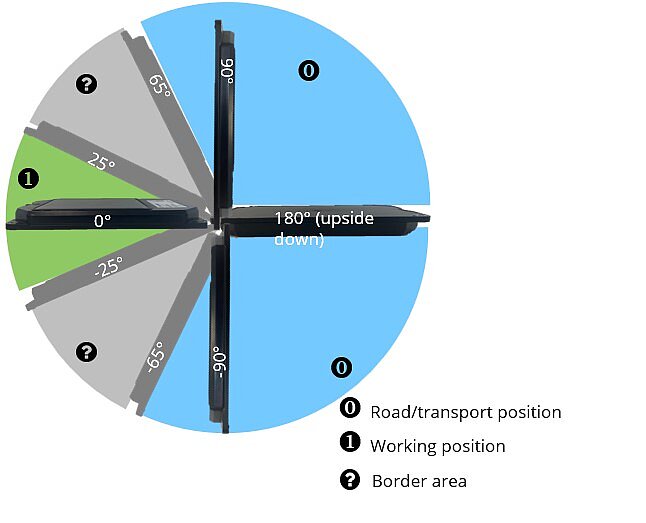
The KRONE SmartConnect Solar telemetry unit is completely autonomous thanks to the solar panel and rechargeable battery. This means that the box can be used flexibly on all machines, regardless of the manufacturer. The following data is sent by the SmartConnect Solar in real time: the position, the speed, active and inactive operating hours, the distance travelled, the working and transport position, the number of loads or the worked area and the charge status of the rechargeable battery. The machine data is recorded in real time and automatically transmitted to KRONE Smart Telematics or the agrirouter.
- Autonomous telemetry unit thanks to solar panel and rechargeable battery
- Automatic data acquisition in real time
- Data transmission to KRONE Smart Telematics and agrirouter
- Can be used flexibly on all machines (regardless of the manufacturer)
- Especially for machines without own electronics as well as rental machines
- To use the KRONE SmartConnect Solar (KSC Solar), register at mykrone.green.
- Visit mykrone.green
- Register as a business customer
- In the meantime, you can mount the KSC Solar on your machine (see installation instructions below).
- After 1-3 days of verification, you can log in to mykrone.green.
- Activate the KRONE Smart Telematics service.
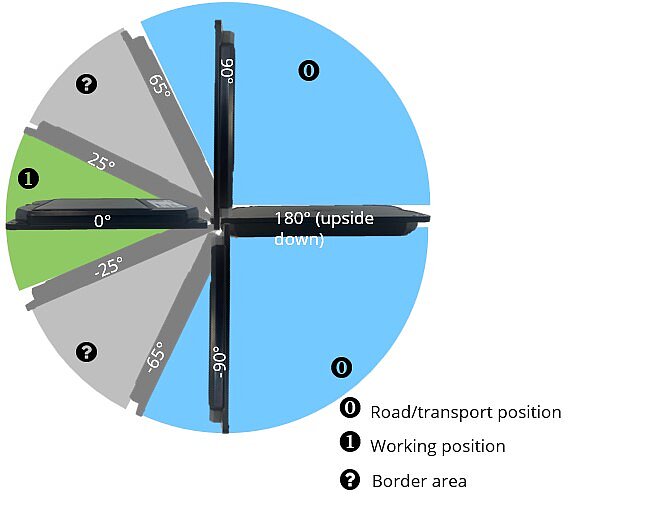
- When starting up for the first time, hold a standard magnet in the center of the nameplate.
- When activated, the LED lights up red.
- Mount the KSC Solar using the supplied mounting plates and screws.
- Choose a mounting location that is exposed to direct sunlight (horizontal alignment).
- Area counter: Attach the KSC Solar to the hydraulic boom of the implement.
- Load counter: Attach the KSC Solar in a suitable position to count the loads/trips.
- Important: Avoid using strong magnets for mounting, as they may impair the function of the KSC Solar.
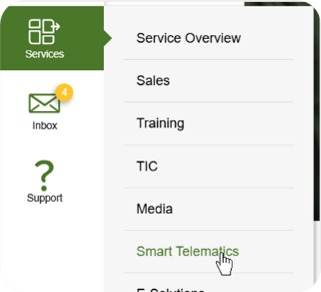

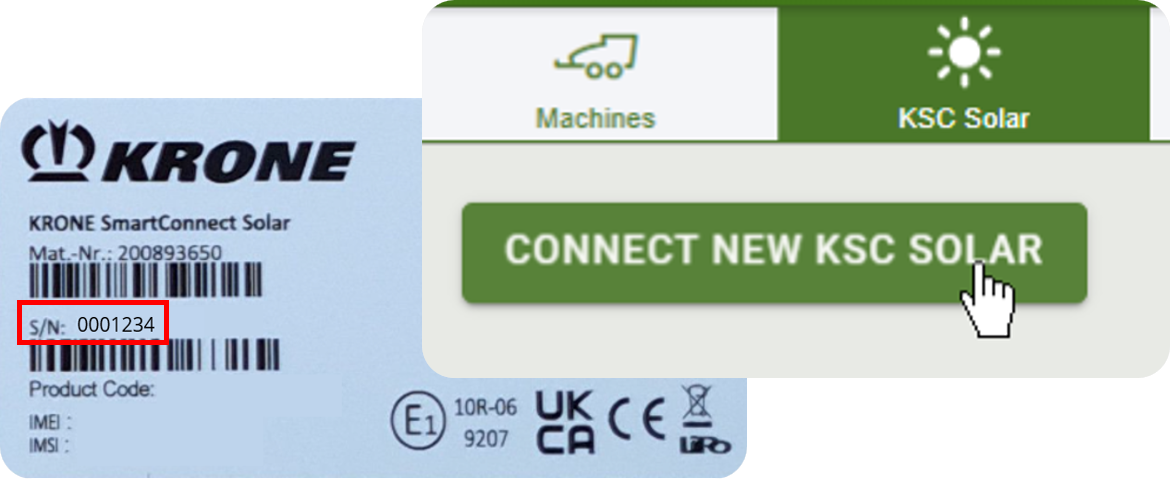
Add a new machine
5) Add a new KRONE machine via the "Machine" tab
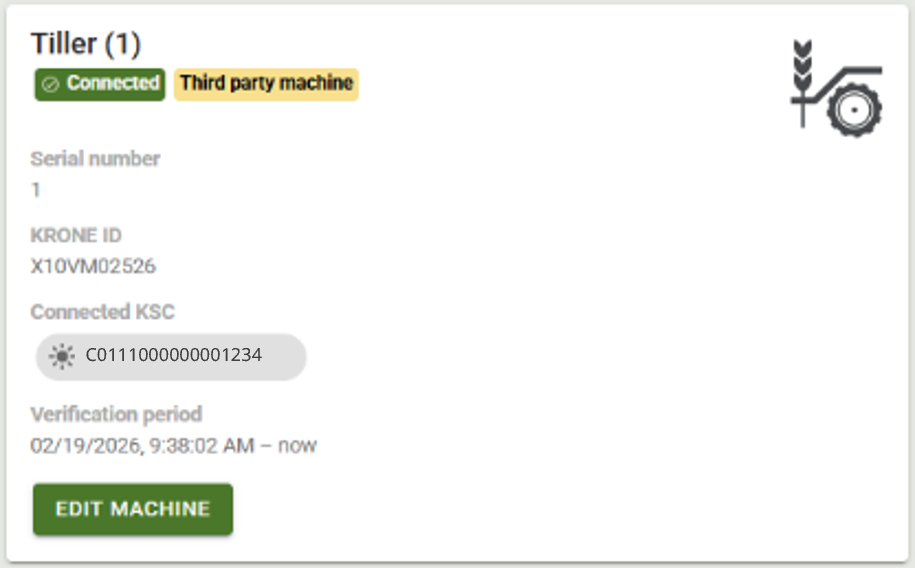
The machine can now be added under "My machines" in mykrone.green using the serial number. The working width is stored automatically.
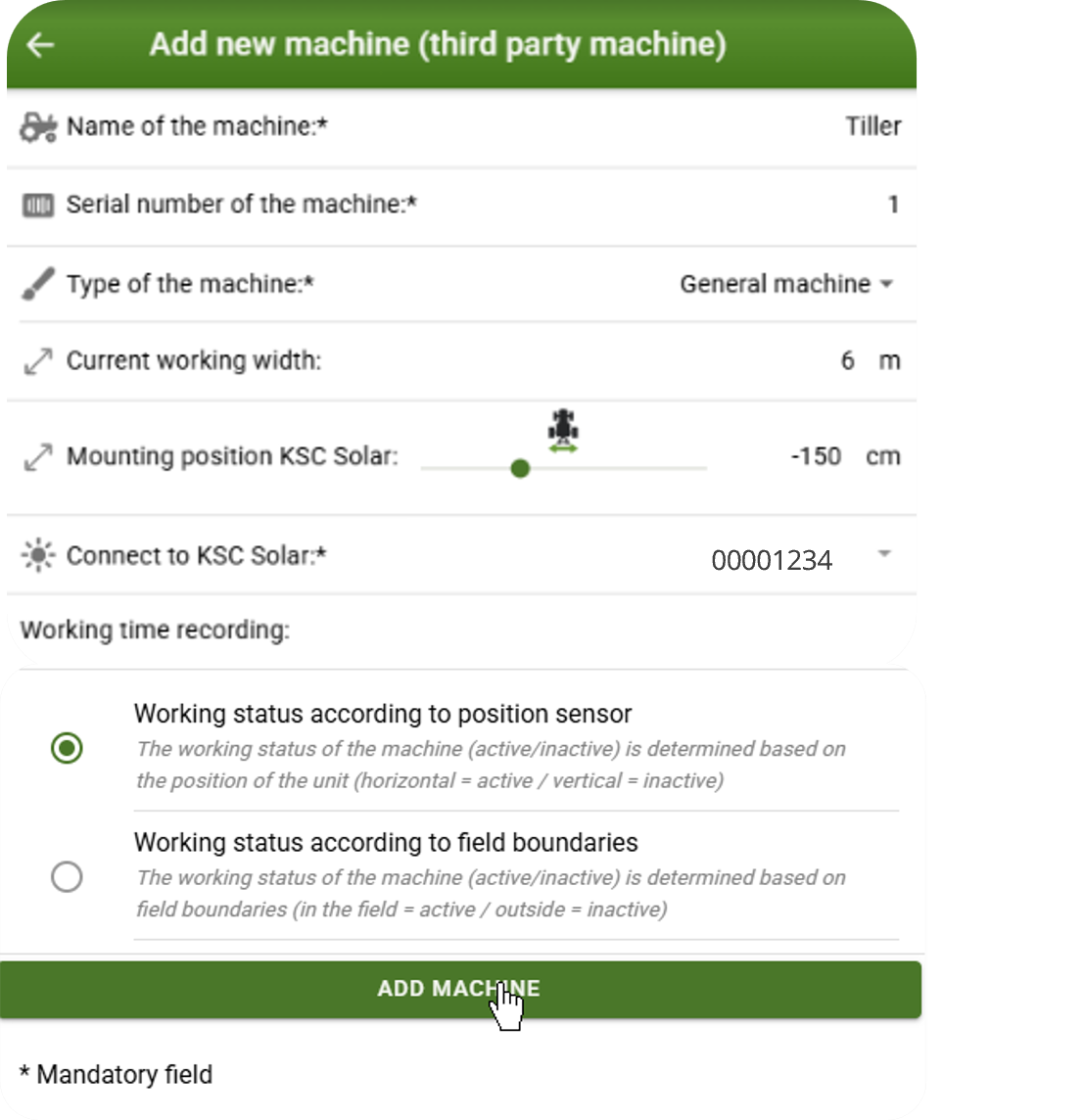
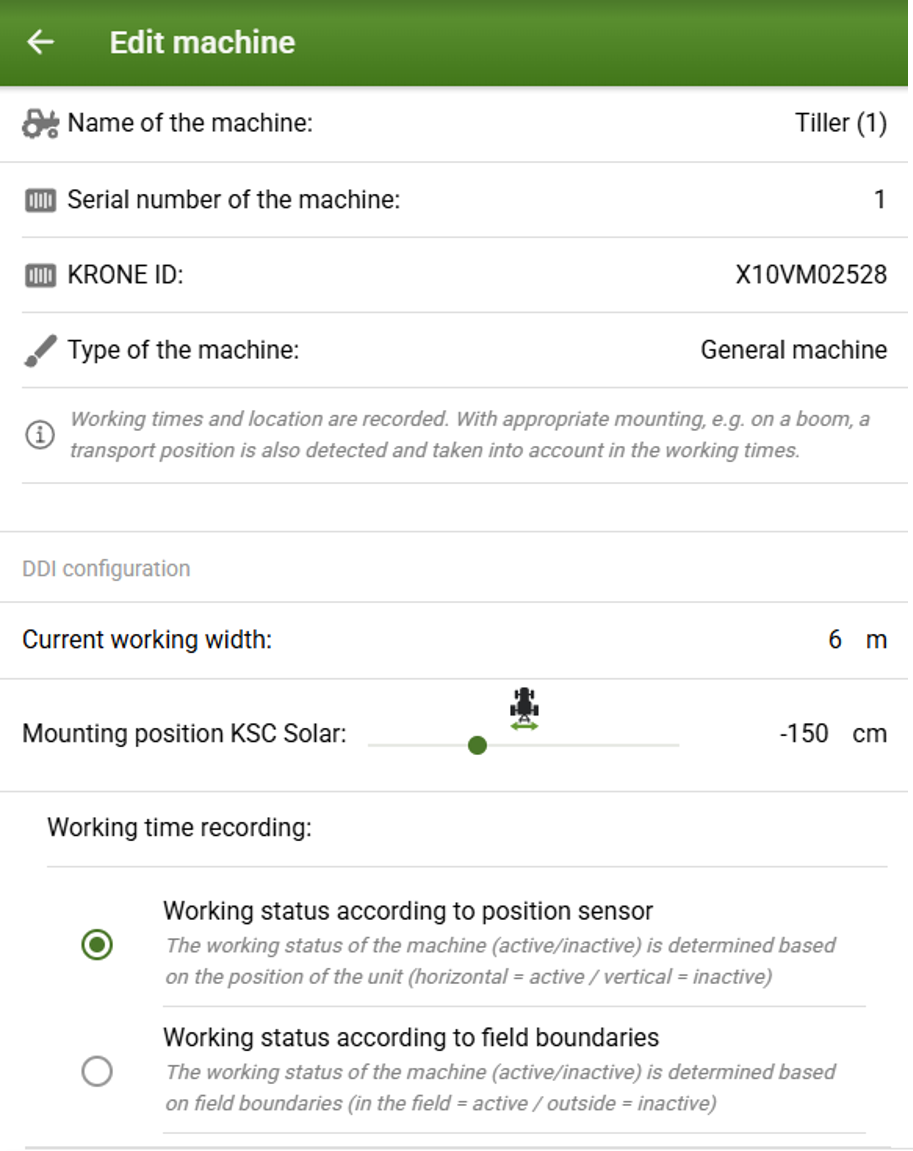
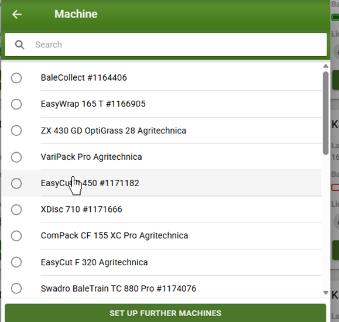
6) For third-party machines: Select name, serial number, type, working width and mounting position
7) "Connecting to KSC Solar" > Select previously created KSC Solar
8) Add machine

View machine data
✓ Machine now appears in the telemetry view
If the KSC Solar has sufficient power and has been in motion for a few minutes, activity is recognised and recording is started.
9) The name, serial number, working width and mounting position can be changed under "Edit machine".
10) Store working width for third-party machines
Working widths can be stored for third-party machines that are created as the "General machine" type. The corresponding type and working width are automatically stored for KRONE machines.
Do not enter a working width for pure transport vehicles (e.g. feeders).
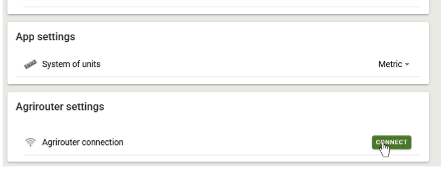
agrirouter connection
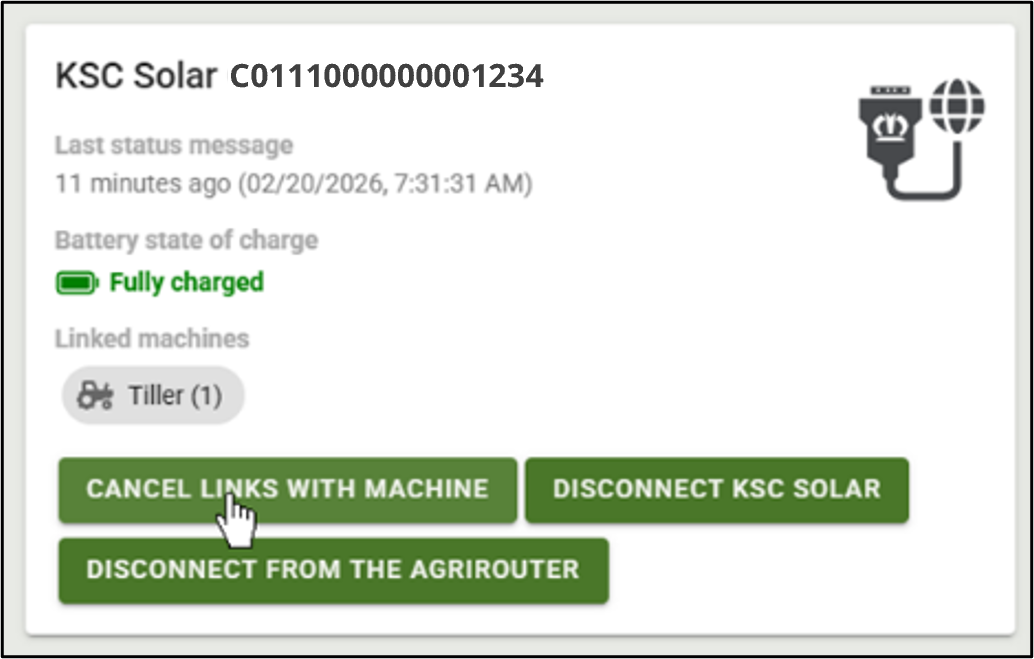
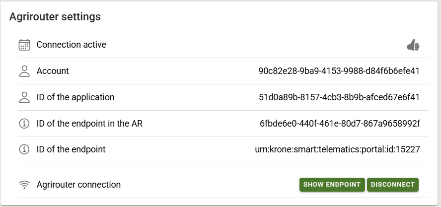
1) The KSC Solar can also transfer the data to the connected farm management systems (FMIS) via the agrirouter
2) After a successful connection and setup of the end points in FMIS, all KSC Solar are connected to the agrirouter
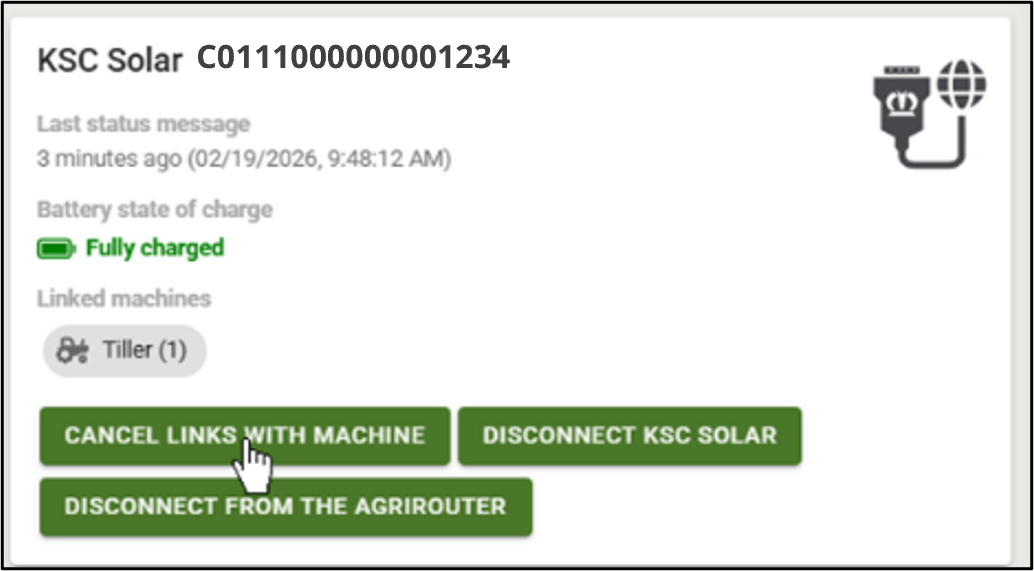
3) If individual KSC Solar are not to be connected, they can be disconnected from the agrirouter
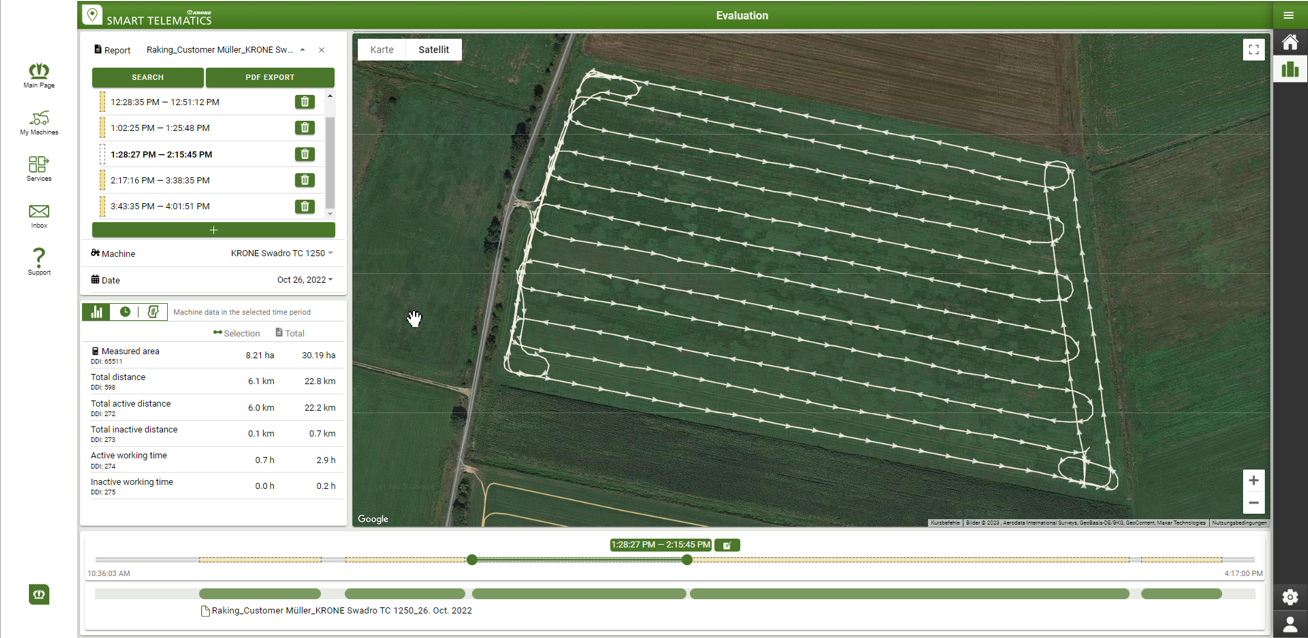
Evaluation in Smart Telematics
With KRONE Smart Telematics, you can analyze the recorded machine data in real time or retrospectively. Data transmission is automatic and enables precise documentation of working times and area performance without manual input.
- Overview of all machines and implements
- Live location of your machine
- Available on all devices via app or browser
- Data analysis and evaluation
- Basis for transparent billing of rented machines
- Automatic measurement of worked areas in Smart Telematics
- Export as PDF, ISOXML, or Excel file
- Data transfer to farm management systems via agrirouter integration possible
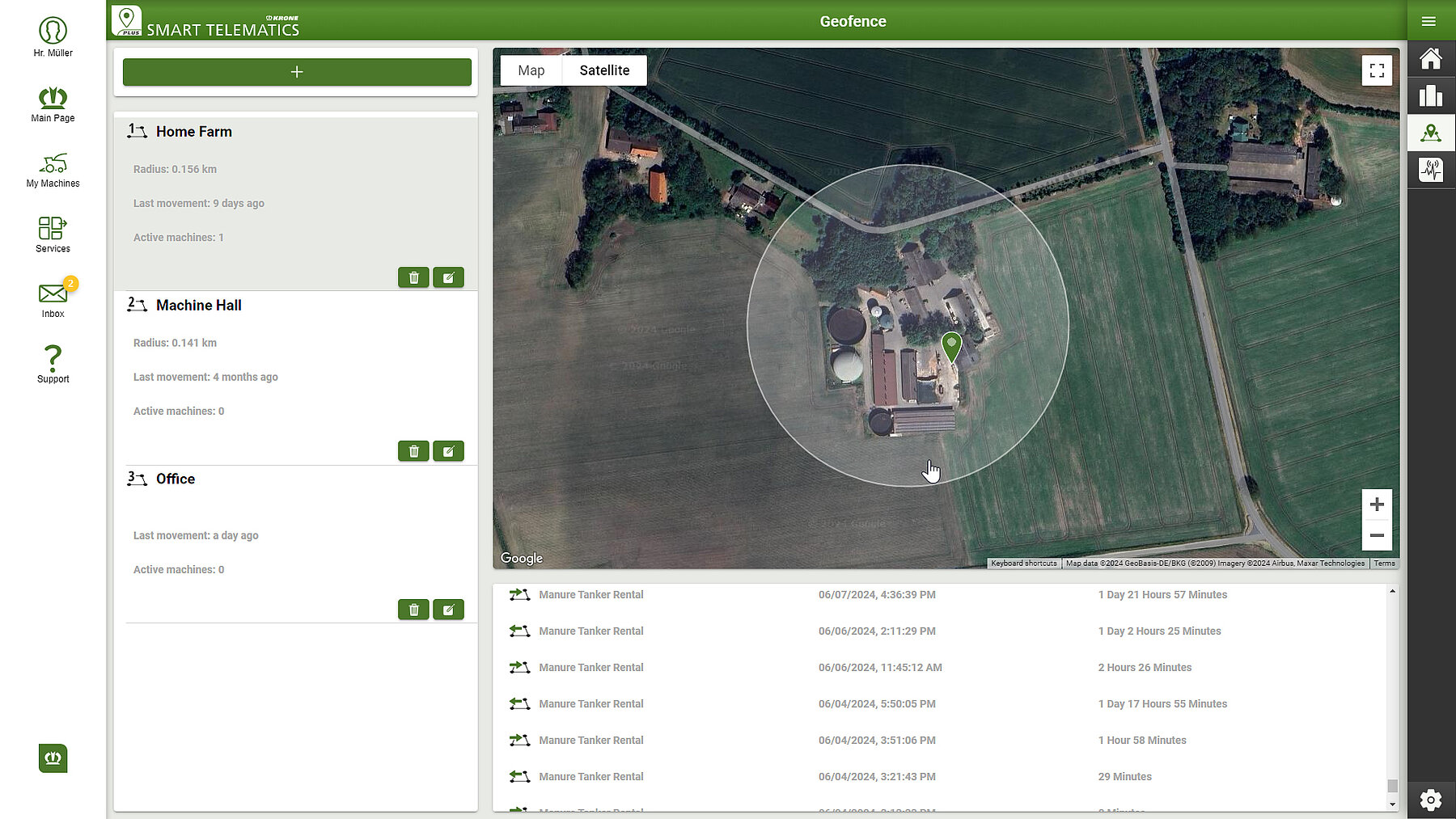
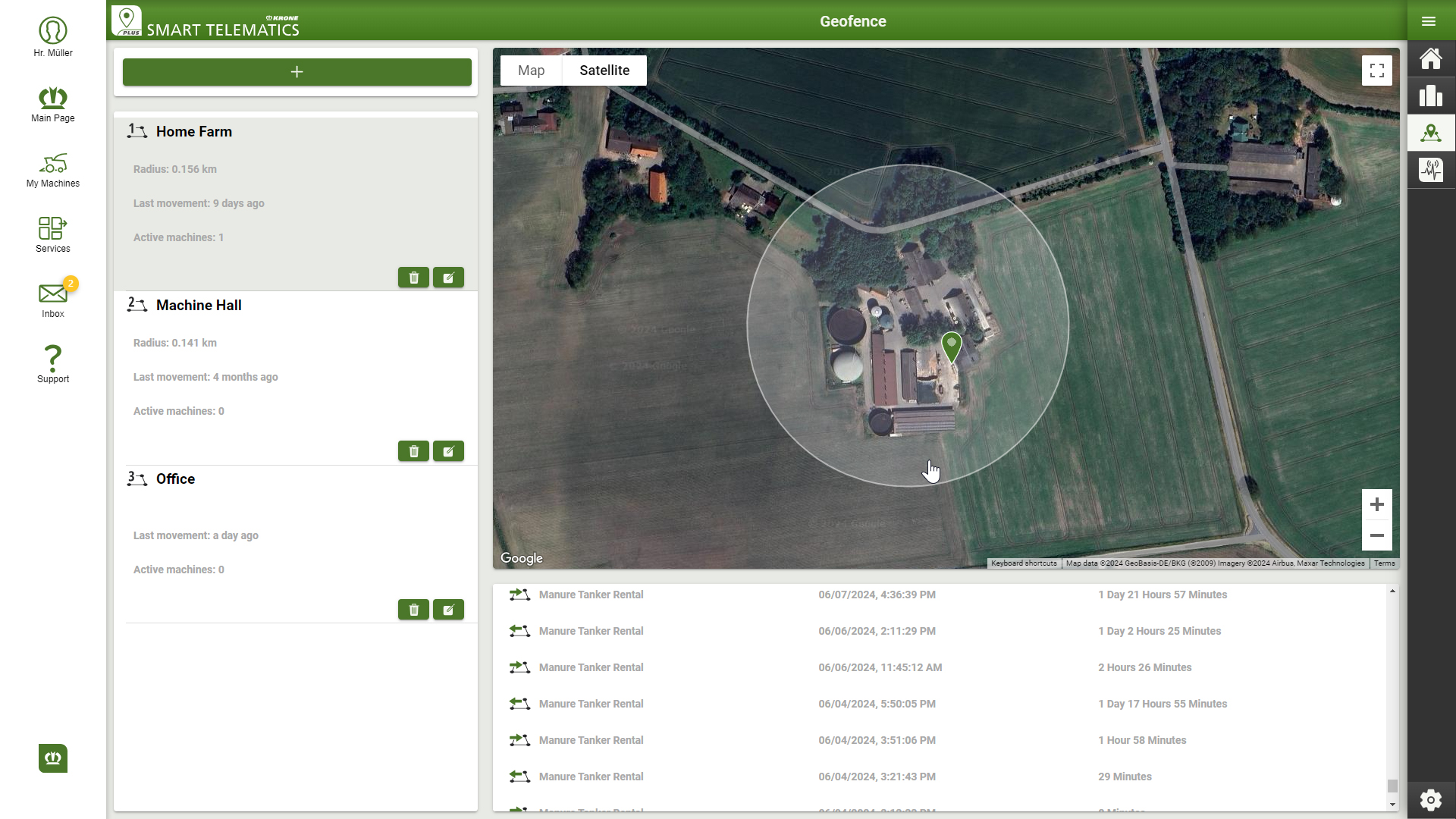
- NEW: With GeoFence, it is determined when a machine enters or leaves a defined area.